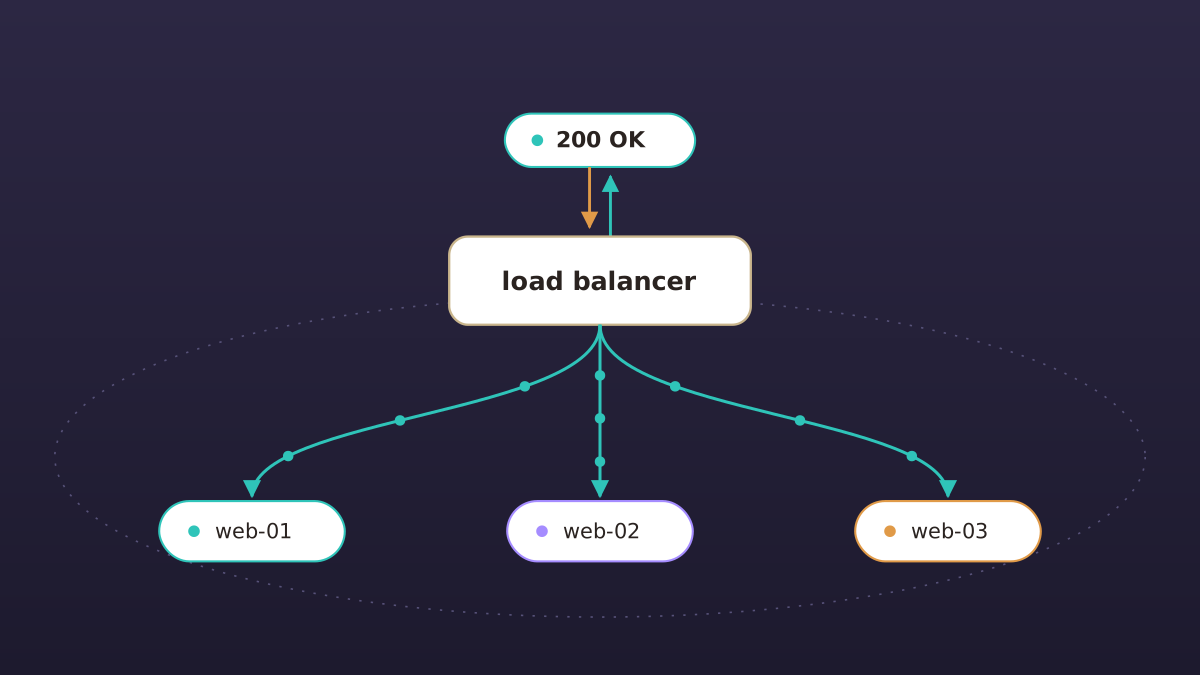
The BEAM is known for its unofficial motto: let it crash. A process crashes, its supervisor restarts it, and the rest of the system never notices. We're bringing that same idea to your servers with clusters.
With clusters on Potions, you can now run one Phoenix app across several app servers at once, behind a load balancer, with the database on its own server. If a node ever goes away, the rest keep serving.
Why you might want a cluster
- A machine can die without taking your app with it. Servers go away for unexpected reasons: a full disk, a provider rebooting the host underneath you, something in your app quietly eating all the memory.
- Ditch the maintenance window. Need a bigger box or a fresh install? Add the new server to the cluster, let it take traffic, then detach the old one. Your users never notice.
A cluster is three things
- A load balancer. A small server running Caddy that owns your domains and TLS certificates. It's the only thing facing the internet, and it forwards traffic to your app servers over your private network.
- Two or more app servers. Each one runs your whole app and serves plain HTTP on the private network. Any of them can go away.
- A dedicated database server. PostgreSQL and nothing else, reachable only over your private network, so every node talks to the same database.
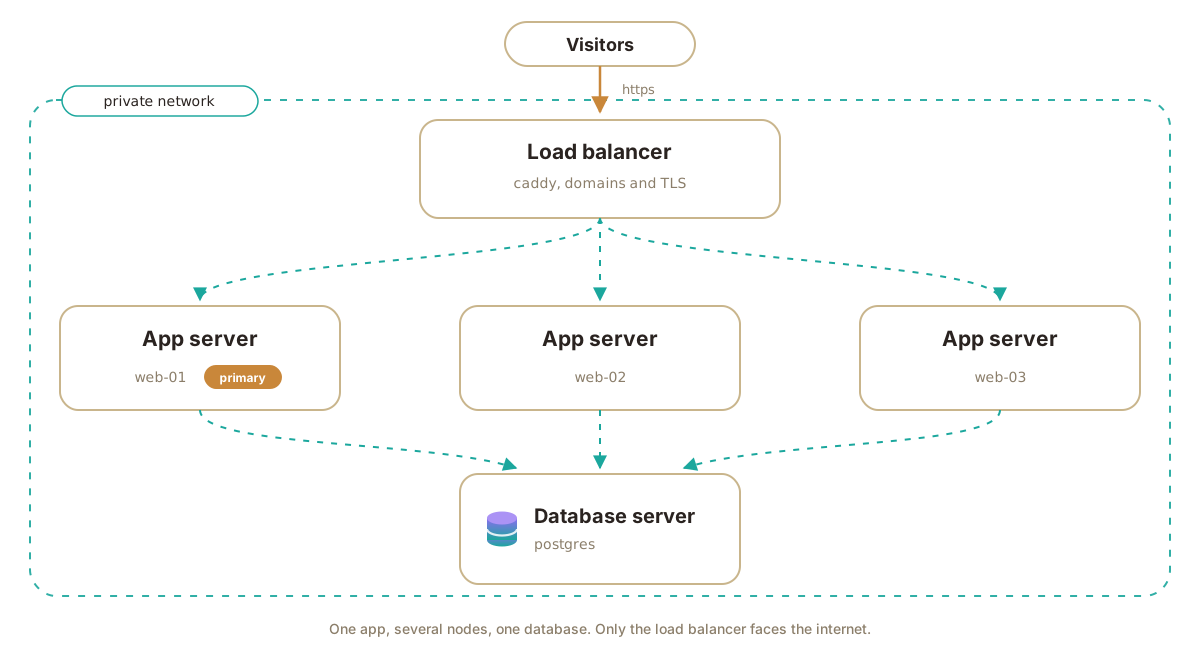
This design is flexible. Launch with the app and database on the same server. Then migrate to a dedicated database server and add a load balancer and additional app servers as you need, all through the Potions UI.
Adding a node
You can attach, promote, and detach nodes from your cluster from your app's 'Cluster' page. To create an eligible node, use the same provider and region. Then, behind the scenes, Potions will create it in your private network.
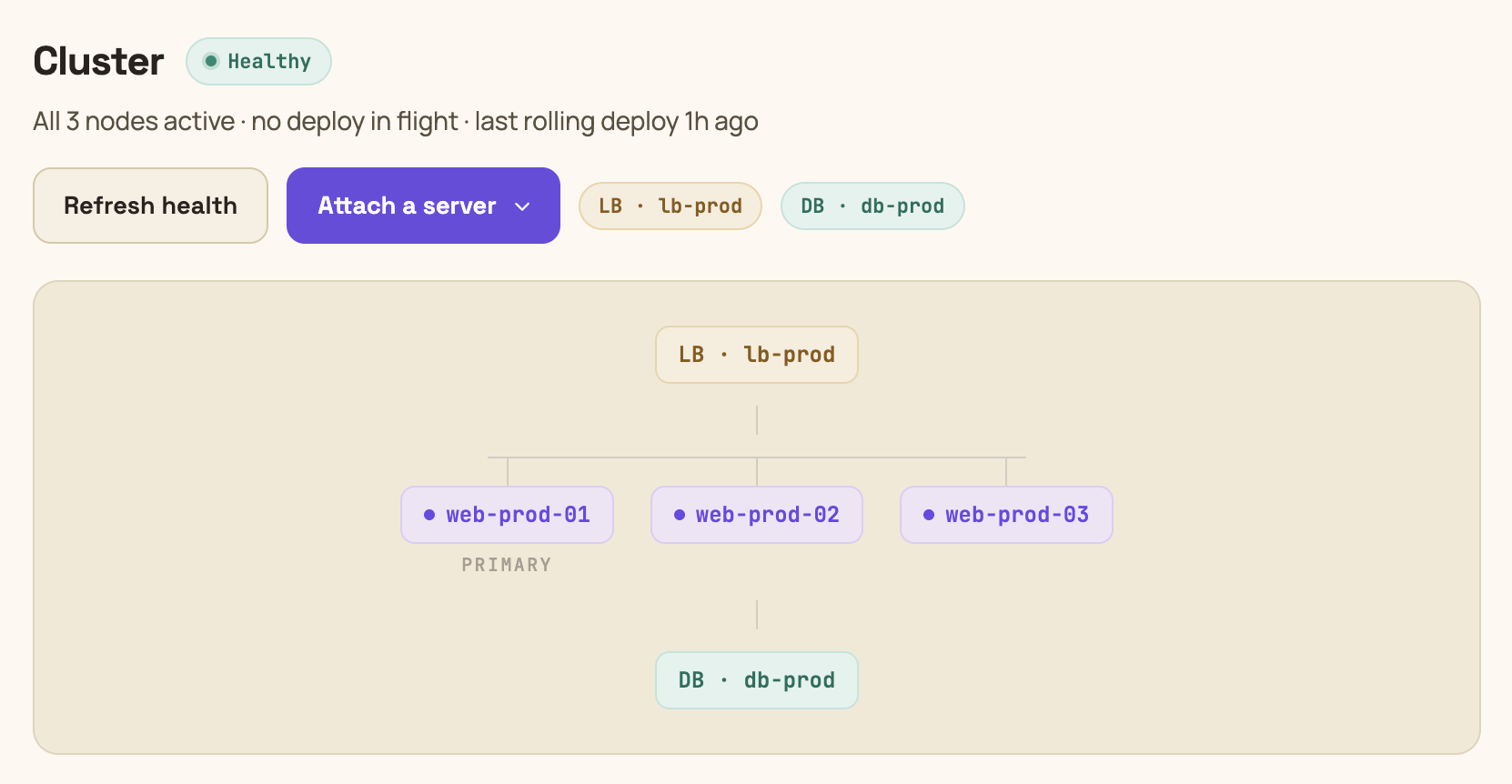
Attaching a node ships the exact release your fleet is currently running. Once added, Potions health-checks the new node, then adds it to the load balancer. It starts taking traffic as soon as it passes.
One node in a cluster is the primary. It runs migrations, scheduled tasks, and the default console and log sessions. You can promote any active node to primary at any time. Nothing on the servers changes, only which node carries those responsibilities.
Deploys roll
When you deploy a cluster, the release builds once. Then, node by node, Potions ships the release, starts the new slot, health-checks it, flips traffic, and drains the old slot. Migrations run exactly once, on the primary, before it flips. A deploy is only successful when every node is running the new release. If a node fails partway through, the deploy halts. Updated nodes keep serving the new release, the rest stay on the old one, and the load balancer hides the split from your users. From the Deployments page, you can retry, or roll back every touched node to the previous release.
One thing to plan for: during a roll, some nodes are running the new release while others are still on the old one, against the same database. Keep your changes backward compatible for one release.
Realtime features
Clustering in Potions is handled at two levels.
- Independent nodes behind a load balancer
- BEAM clustering
BEAM clustering is off by default because most apps don't need it. Independent nodes behind a load balancer already survive a dead machine, and joining your nodes with Erlang distribution makes them a single trust domain, where a process on one node can run code on all of them.
Independent nodes can't talk to each other. A Phoenix.PubSub broadcast on one node never reaches the users connected to another, and Presence only counts the people on its own node.
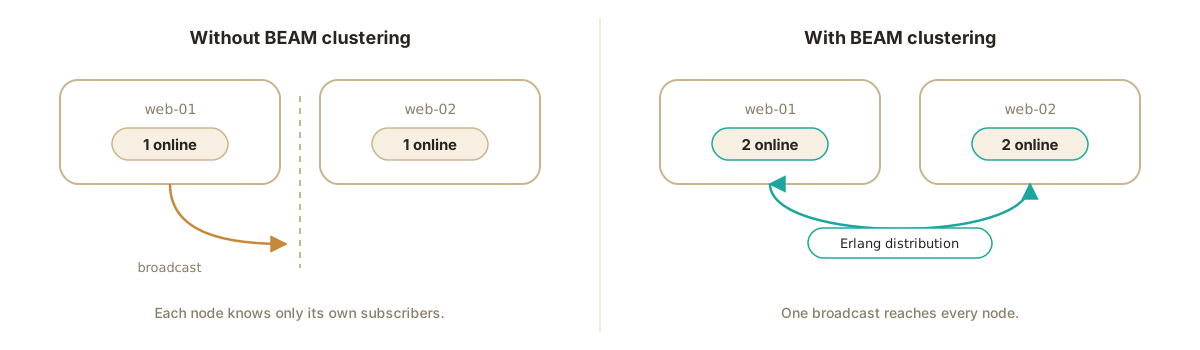
But if your app uses realtime features, fear not! Turning on BEAM clustering is one click. Potions generates a shared cookie so every build of your app can join, keeps distribution traffic on your private network with nothing reachable from the public internet, keeps node discovery working across deploys and reboots, and publishes the peer list as POTIONS_CLUSTER_HOSTS for your app to read. After enabling, deploy once to apply it.
Your app is responsible for the connection itself. Potions wires up the machine side, but it can't add a dependency to your codebase. Add libcluster 3.5 or newer to your deps and put this in your supervision tree before your Endpoint:
topologies = [
  potions: [
    strategy: Cluster.Strategy.Epmd,
    config: [
      hosts:
        "POTIONS_CLUSTER_HOSTS"
        |> System.get_env("")
        |> String.split(",", trim: true)
        |> Enum.map(&String.to_atom/1),
      # do not omit: this is what reconnects the mesh after a deploy
      timeout: 5_000
    ]
  ]
]

{Cluster.Supervisor, [topologies, [name: MyApp.ClusterSupervisor]]}
What a cluster doesn't fix
While a cluster removes your app server as a single point of failure, there are a few things it can't fix.
- The database is still one server. This is on purpose. Safe automatic failover needs a consensus store with at least three members, and two-node failover is more dangerous than none. You get backups and a database that can grow on its own box.
- So is the load balancer. It only runs Caddy, so it's a smaller target than a box running your app, but it's still one box.
- A slow app. Two nodes of a slow app are just two slow nodes.
Getting started
Ready to build one? The clustering docs cover the prerequisites and adding your first node, and the BEAM clustering guide goes deeper on the libcluster setup.
Happy deploying!
Deploy Elixir to servers you own.
Potions gives you push-to-deploy, zero-downtime releases and managed servers, with the control of plain infrastructure.
Start 14-day free trial