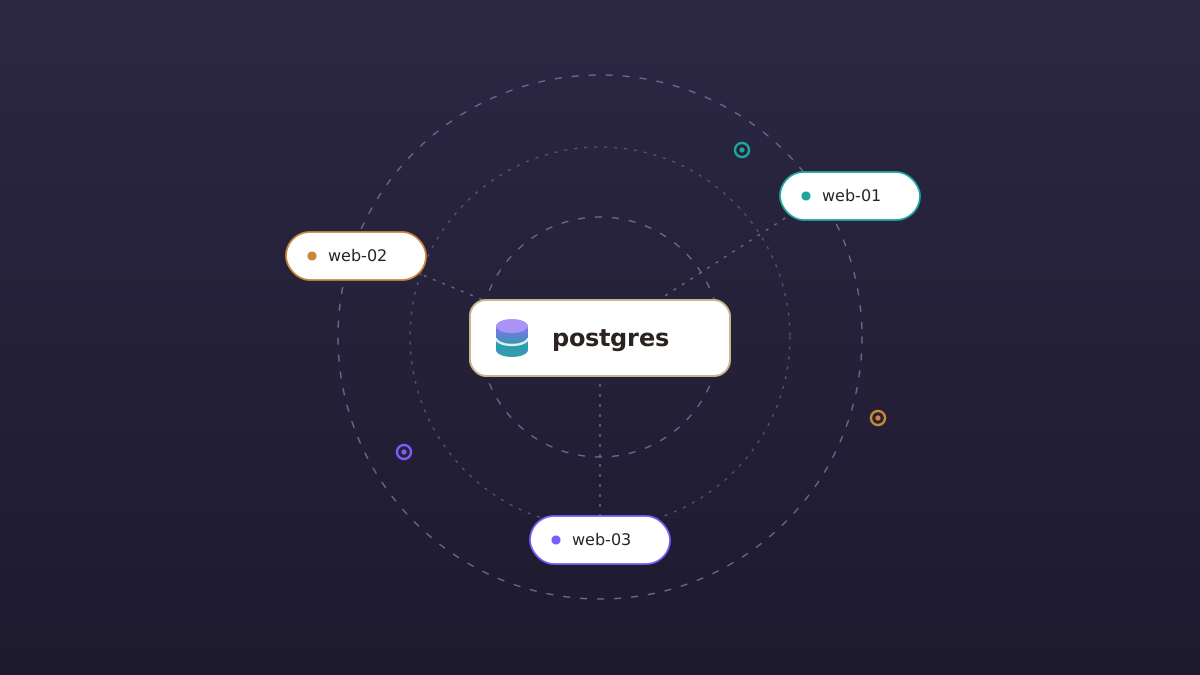
Often when you first deploy an app, you'll keep the database on the app server. It's simple and has plenty of resources for a new app.
But as your app grows, the Phoenix layer starts competing for resources with the database layer when they live on the same machine. Maybe a traffic spike eats the memory Postgres wanted for cache, or a heavy report ties up the cores your web requests need. At some point you'll want to put your database on a server with its own dedicated resources.
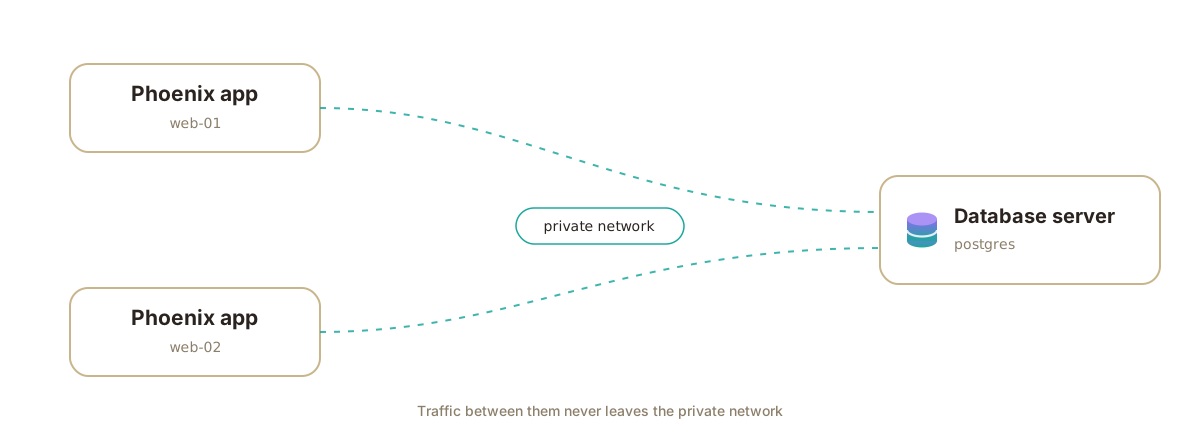
Potions' new dedicated database servers make it easy to do just that. You can provision a server that runs PostgreSQL and nothing else. It's reachable only over your private network, and you can point one or more apps at it.
Spin up a database server
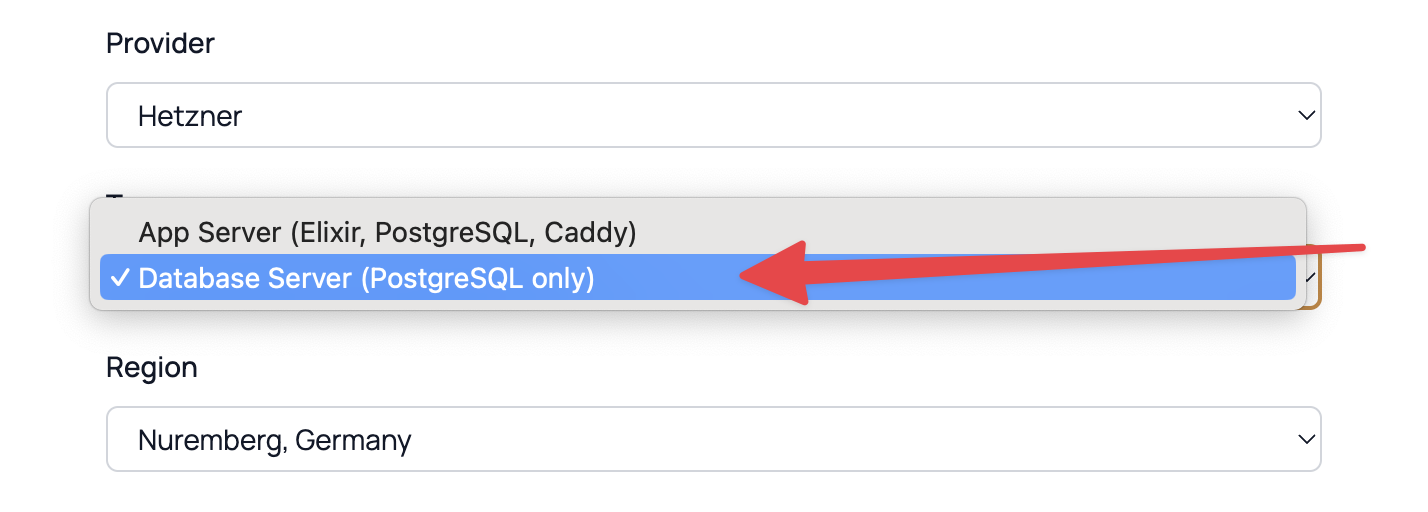
Creating a database server is quick. In the Add server form, select Database Server (PostgreSQL only) in the Type field. Then pick your provider and size, and choose a PostgreSQL version. That's it.
Potions handles the networking automatically. All you need to do is create the database server on the same provider and region as the app servers that will use it, and they'll share a private network.
Once your database server is provisioned, you can point an app at it right from the UI, no configuration needed. The database itself is reachable only over your private network, never the public internet.
Point an app at it
There are two ways to use a database server for your app.
-
If you have an existing database server, you can select it when adding a new app.
-
For apps that have their application and database layers on the same server, Potions can automatically move your existing database to the new database server. It streams the database straight to the new server over the private network, verifies that the row counts match on both sides, points the app at its new database, and starts it back up. Your app shows a maintenance page for the few minutes the copy takes, and you can watch the move in a live log.
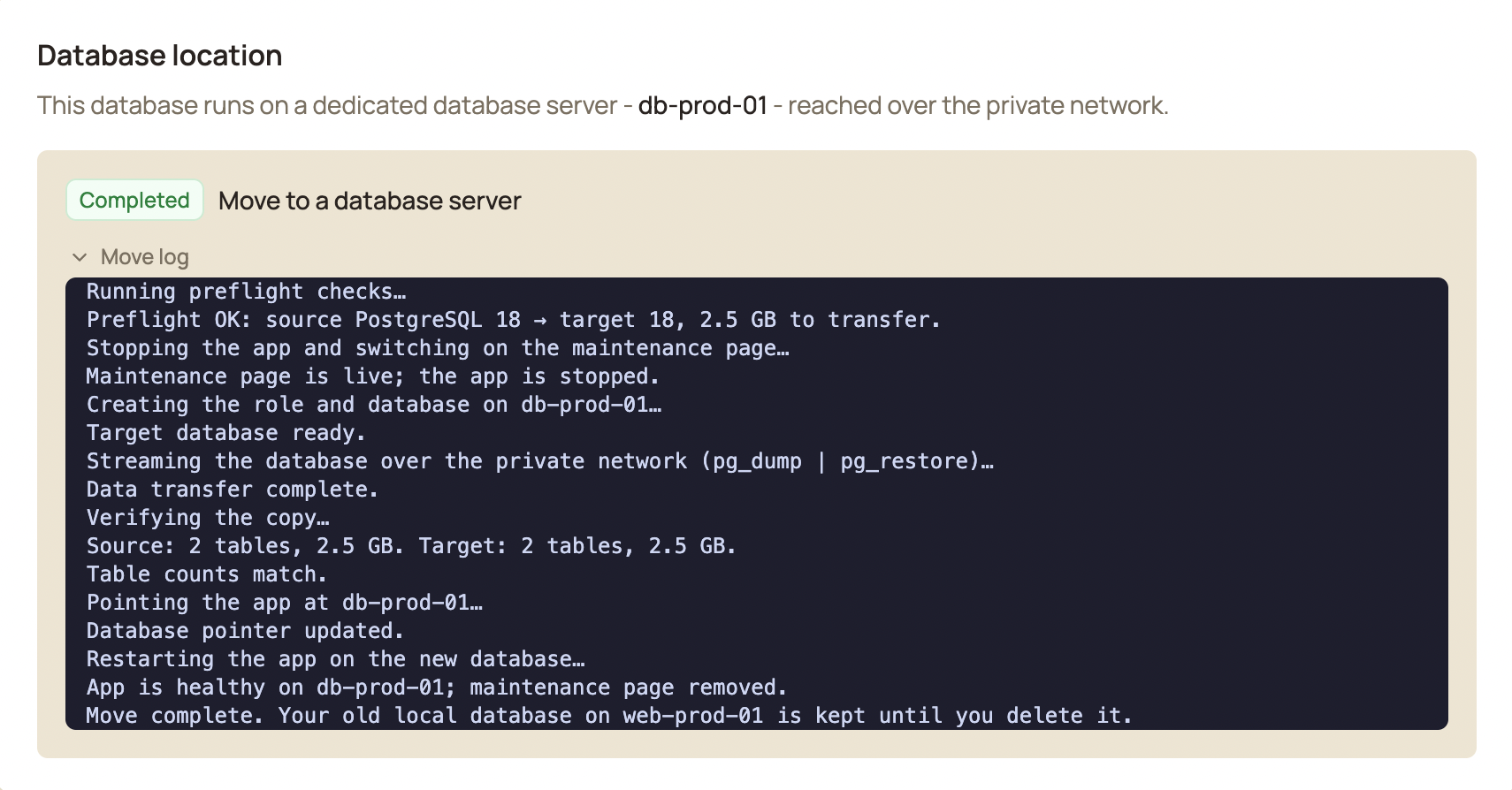
During this process, your old database is never dropped. If anything goes wrong before the cutover, your app simply keeps running on its local database.
The automated move is built for databases up to 5 GB. If yours is bigger, or you'd rather run the move yourself, the docs include a step-by-step manual move guide. Do the copy on your own schedule, then click Verify & adopt: Potions confirms your app is running on the new database and takes over backups from there.
What you get
- Tuned to the machine. No config files for you to edit. Potions sizes PostgreSQL's settings to the server's RAM and cores, so a bigger box means more of your data served straight from memory.
- Private by default. The database never listens on the public internet. Your apps reach it over a private network. Potions configures the connection for you.
- Nothing extra installed. No web server, no app tooling, just PostgreSQL.
Good to know
- Same provider, same region. An app can only use a database server on its private network, so create both in the same place.
- Shared across app servers. A single database server can serve several app servers on the same private network.
Learn more
Ready to give your database its own server? The docs have everything you need, from creating a database server to moving an existing database. Happy deploying.
Deploy Phoenix on your own VPS
Potions gives you push-to-deploy, zero-downtime releases, and managed servers with the control of plain infrastructure.
Get started