Dedicated Database Servers
A dedicated database server runs PostgreSQL and nothing else. Instead of your database sharing a box with your app, it gets its own server, its own CPU and memory, and tuning built for a database host. One or more app servers then connect to it over the private network.
Creating a Database Server
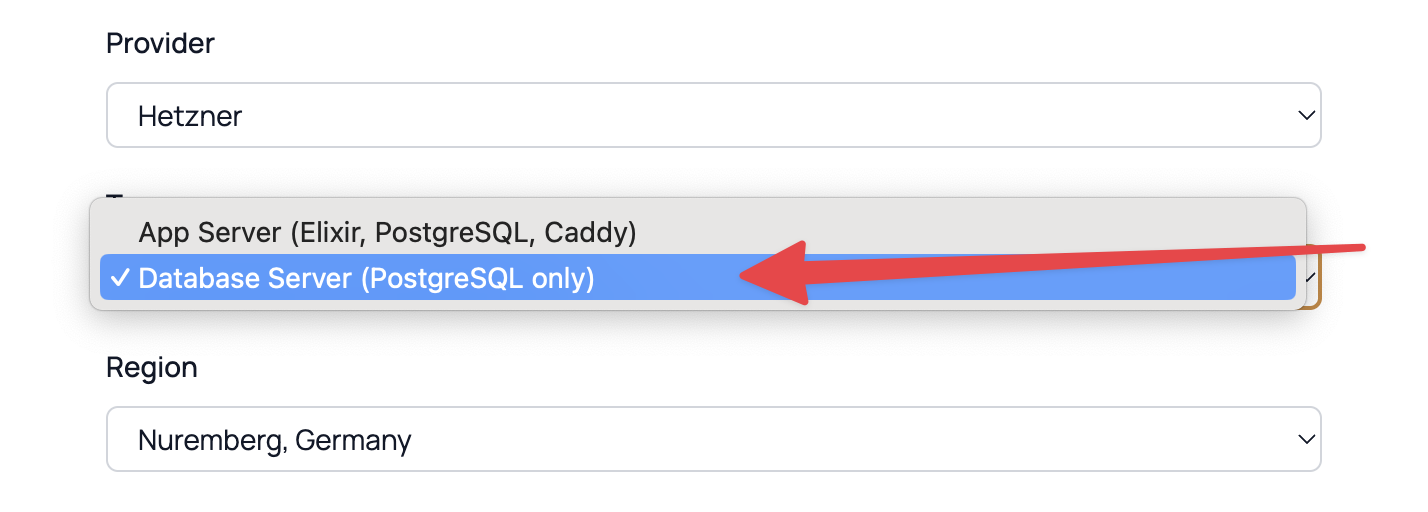
Click Add server in the server bar at the top of the dashboard, the same form you use for an app server. Set the Type field to Database Server (PostgreSQL only) and fill in the rest:
-
Name - a label for your reference, like
db-prod-01. - Provider - DigitalOcean or Hetzner Cloud. Create the database server on the same provider as the app servers that will use it.
- Region - a database server and the app servers that use it must share one private network, so where you place it matters. On DigitalOcean, they have to be in the same region. On Hetzner, they have to be in the same network zone - the European locations (Nuremberg, Falkenstein, Helsinki) share one zone, while Ashburn, Hillsboro, and Singapore are each their own. See Server Regions & Sizes.
- Size - the CPU, RAM, and disk for the server. See Server Regions & Sizes for a comparison.
- PostgreSQL Version - the default is PostgreSQL 18. Versions 17 and 16 are also available.
Provisioning takes about 5-10 minutes. Potions installs PostgreSQL from the official repository, rebuilds the cluster with data checksums, tunes it for a dedicated host, and locks the firewall so port 5432 is reachable only from your private network.
A database server counts as one of your servers against your plan's limit, the same as an app server. Because it runs no apps of its own, you'll want a plan that allows at least two servers so you can pair it with an app server. See Plans & Pricing.
Connecting an App
There are two ways to connect an app to a database server, and both require the app's server and the database server to be on the same private network - the same provider and region requirement described above.
A New App
When you create an app, the form includes a Database picker. Next to the choices on the app server itself and External PostgreSQL for a PostgreSQL you run elsewhere (see External Databases), it lists each database server that shares the app server's private network by name, such as PostgreSQL on db-1 (dedicated). Choose a database server, and the app's database is created on that server from the start instead of locally.
If no database server is listed, the app server isn't on the same private network as any database server. Create the database server on the same provider and region and it will appear.
An Existing App
If an app has outgrown sharing a server with its database, you can move the database onto a dedicated database server without recreating the app. Open the app's Database tab and find the Database location card. If an eligible database server exists on the same network, you'll see two ways to move it: Move automatically and Move manually.
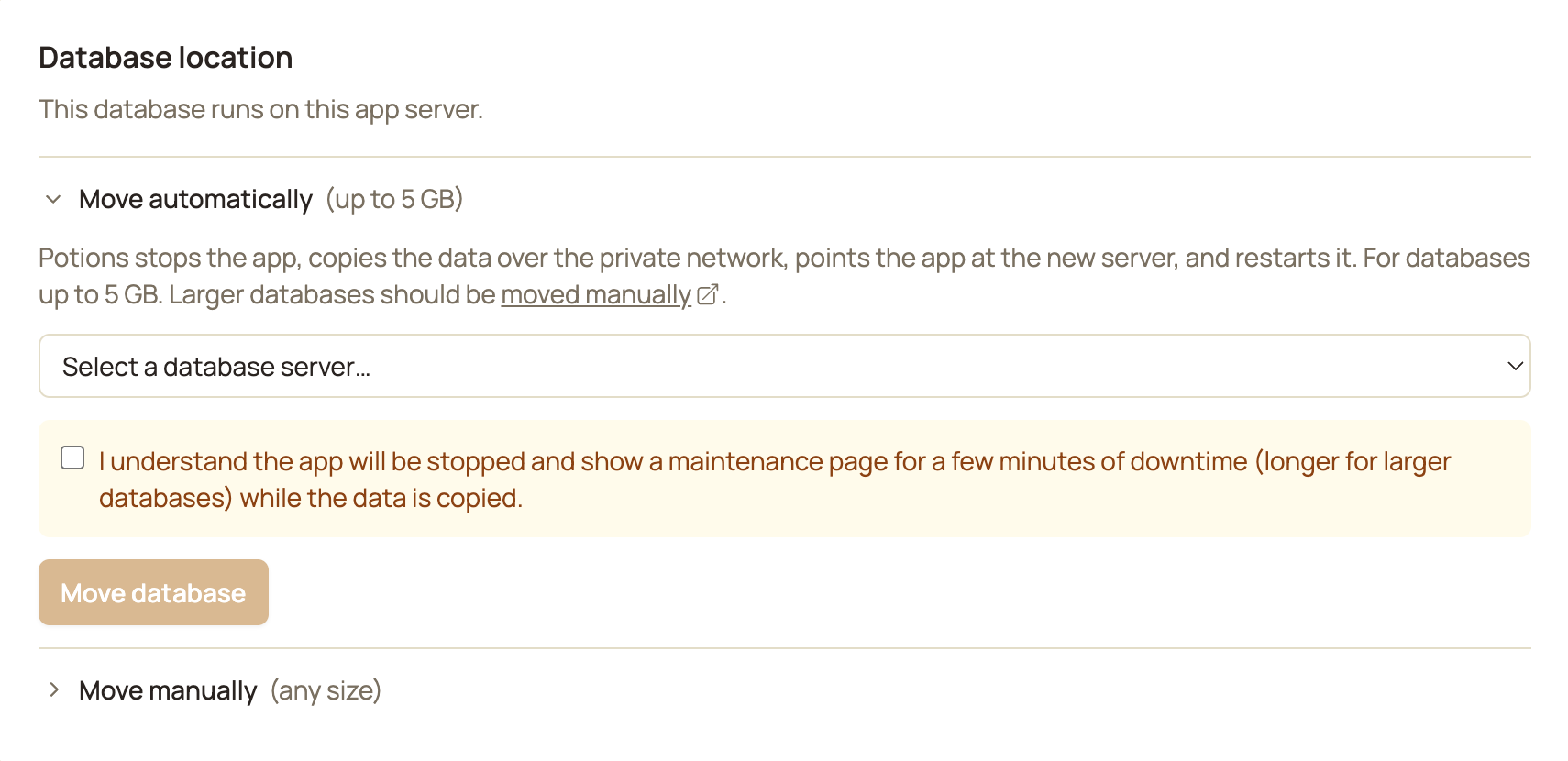
When you pick the target and start the move, Potions stops your app and shows a maintenance page while it copies the data to the database server, repoints the app at its new database, and starts it back up. Expect a few minutes of downtime, longer for larger databases.
The move tool is intended for databases up to 5 GB. Larger databases take longer than the move window allows, and a longer run increases the chance of a failure partway through - the preflight check refuses them before taking any downtime. For those, follow Moving Manually below.
The old local database stays on the app server until you remove it. Once you've confirmed the app works with its new database, you can delete the old copy to reclaim the disk space. This can't be undone.
Connection Details
The Database tab on the database server lists everything an app on the network needs to connect:
| Field | Value |
|---|---|
| Host | The server's private IP |
| Port |
5432 |
| Admin User |
potions_admin |
| Reachable from | Private network only |
Potions wires these into your apps automatically when you attach them - you don't assemble a connection string by hand. The potions_admin superuser is what Potions uses to create each app's role and database on the server.
PostgreSQL listens only on localhost and the private IP, never the public internet, and the firewall allows port 5432 solely from the private network. Traffic between your app servers and your database server stays on that private network.
Backups
Once an app's database is on a database server, its scheduled and manual backups run there and the dumps are stored on that server, with the app's retention settings applied unchanged. The Backups tab lists them on that server instead of the app server.
If your app previously had its database on its app server, the backups taken before the move stay there. Restore those from an offsite copy or use a newer backup. See Automated Backups and Restoring a Backup.
Moving Manually
The automated database move tool works for databases up to 5 GB. If yours is larger - or you'd rather handle the move yourself - you can do that with the steps below. Before you begin, you'll need SSH access as the deploy user on both servers, the app's database credentials, and the database server's private IP.
The app server's PostgreSQL major version must be the same or older than the database server's. Restores don't go backwards.
For the commands below:
-
Replace
<db>,<user>, and<password>with the app's database name, user, and password. Found on your app's Database tab. -
Replace
<private-ip>with the database server's private IP. Found on the database server's Database tab. -
Replace
<app>with your app's name.
The steps to move your database are a recommended guide, but any tool that restores the database works. Just avoid instance-level tools like
pg_basebackup, which replace the whole PostgreSQL installation, including the roles and tuning Potions manages.
1. Create the database server in Potions and wait for it to become active.
2. Stop your app so no new data is lost during the copy. You can stop your app with the Stop button on the app's Settings page. Or, if you prefer, from your app server's CLI (it's fine if one slot isn't running):
sudo /usr/local/bin/potions-systemctl stop <app>-blue.service
sudo /usr/local/bin/potions-systemctl stop <app>-green.service
3. Create the role and database on the new database server:
sudo -u postgres psql -c "CREATE ROLE <user> WITH LOGIN PASSWORD '<password>';"
sudo -u postgres psql -c "CREATE DATABASE <db> OWNER <user>;"
sudo -u postgres psql -c "GRANT ALL PRIVILEGES ON DATABASE <db> TO <user>;"
4. Create a database dump and restore. From your app server, dump the database to a file, then restore it to the database server. The compressed dump is usually much smaller than the database itself:
sudo -u postgres pg_dump -Fc --no-owner --no-acl <db> > ~/db-move.dump
echo "<private-ip>:5432:<db>:<user>:<password>" > ~/.pgpass && chmod 600 ~/.pgpass
pg_restore -h <private-ip> -U <user> -d <db> -j 4 --no-owner --no-acl ~/db-move.dump
If the database you're moving is already on Potions, you can restore a Potions backup instead of creating a dump by hand. Once your app is stopped, trigger a fresh database backup from your app's Database tab - an older backup would be missing any writes made since it was taken - then restore it with the same ~/.pgpass entry as above (backups in Potions are gzipped SQL files on the app server):
gunzip -c /home/deploy/backups/<app>/<db>_<timestamp>.sql.gz | psql -h <private-ip> -U <user> -d <db>
Both routes work at any size, but the pg_dump route above restores faster for very large databases (its restore runs parallel jobs), which means less time with your app stopped.
5. Refresh the planner statistics on the database server. A restored database has none until this runs, and queries can be slow without them:
sudo -u postgres psql -d <db> -c "ANALYZE;"6. Verify the copy. The table count should match on both servers:
sudo -u postgres psql -d <db> -Atc "SELECT count(*) FROM pg_stat_user_tables"
7. Repoint and deploy. In Potions, open your app's Environment tab and set DATABASE_URL to ecto://<user>:<password>@<private-ip>:5432/<db> - the same credentials and private IP you used above. Then Deploy the app.
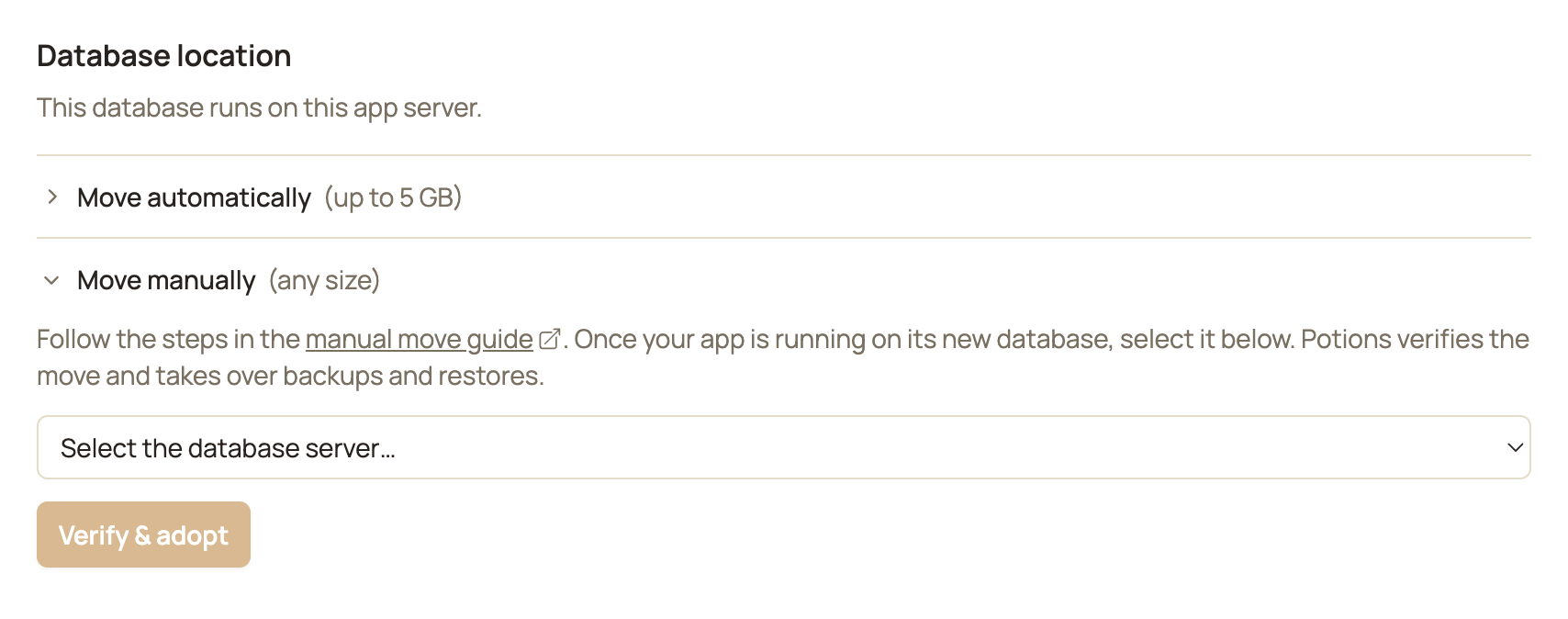
8. Verify & adopt. In your app's Database tab, expand the Move manually section in the Database location card and pick the database server you restored your database to. When you click Verify & adopt, Potions confirms your app is running on the new database and then moves backups and restores over to it. Until you adopt, Potions still treats the database as local, so scheduled backups keep targeting the old copy.
9. Clean up (optional). Once you've confirmed everything works, remove the dump file and pgpass entry from your app server (rm ~/db-move.dump ~/.pgpass). You'll also want to delete the old local copy from the Database tab.
Things to Know
- Same network, same provider and region. An app can only use a database server that shares its app server's private network. Create both on the same provider and region.
- Moves are one-way. A database moves onto a database server, not back to its app server.
- The move tool is for databases up to 5 GB. The preflight check refuses larger databases. Move those by hand with the guide above.
- You can't delete it while apps use it. Deleting a database server that apps still point at would strand their data, so Potions blocks it.
-
To use a database Potions doesn't manage, choose External database when creating the app. Potions stores its URL as
DATABASE_URLand checks the connection from the app server, but can't back up, restore, or reset what it doesn't manage - those become yours to run. See External Databases and Encrypting the connection. - Cloud provider charges apply. A database server is a real VPS on your account, billed by your provider at their standard rates.