Triggering a Manual Deploy
When you deploy, Potions pulls the latest commit from your configured branch, builds a release, and ships it to your server with zero downtime.
Deploying Your App
- Navigate to your server and open your app
- Go to the Deployments tab
- Click the Deploy button in the top-right corner
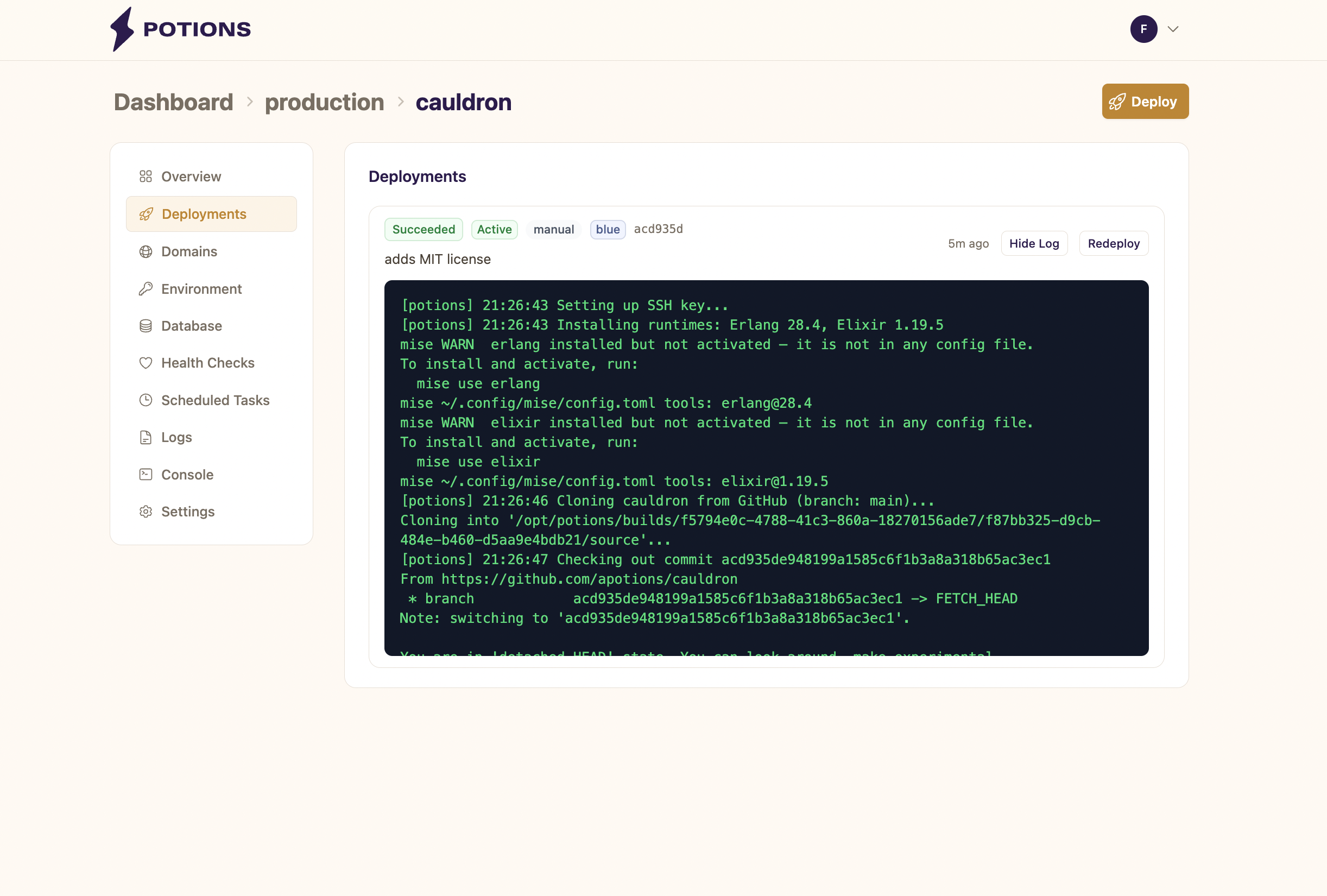
When you click Deploy, Potions fetches the latest commit from your app's configured branch (e.g., main) on GitHub. Whatever commit is at the tip of the branch is deployed.
You can watch the build output in real time by clicking View Log on the active deployment.
What Happens During a Deploy
- Queued: waiting for an available build slot on the server. Only one deploy runs at a time per server.
- Building: Potions uses a dedicated build server to fetch dependencies, compile your code, and build a release. This is where most of the time is spent.
- Deploying: the compiled release is transferred to your server and the new instance is started.
- Migrating: database migrations run against your app's PostgreSQL database.
- Verifying: Potions health-checks the new instance before switching traffic over.
Once everything passes, the status changes to Succeeded and your new release is live.
If anything fails at any stage, the deployment is marked as Failed and your running app is unaffected. See Troubleshooting Failed Deploys for common failure causes.
Build Logs
Click View Log on any deployment to expand the build output. For in-progress deployments, logs stream in real time as the build runs.
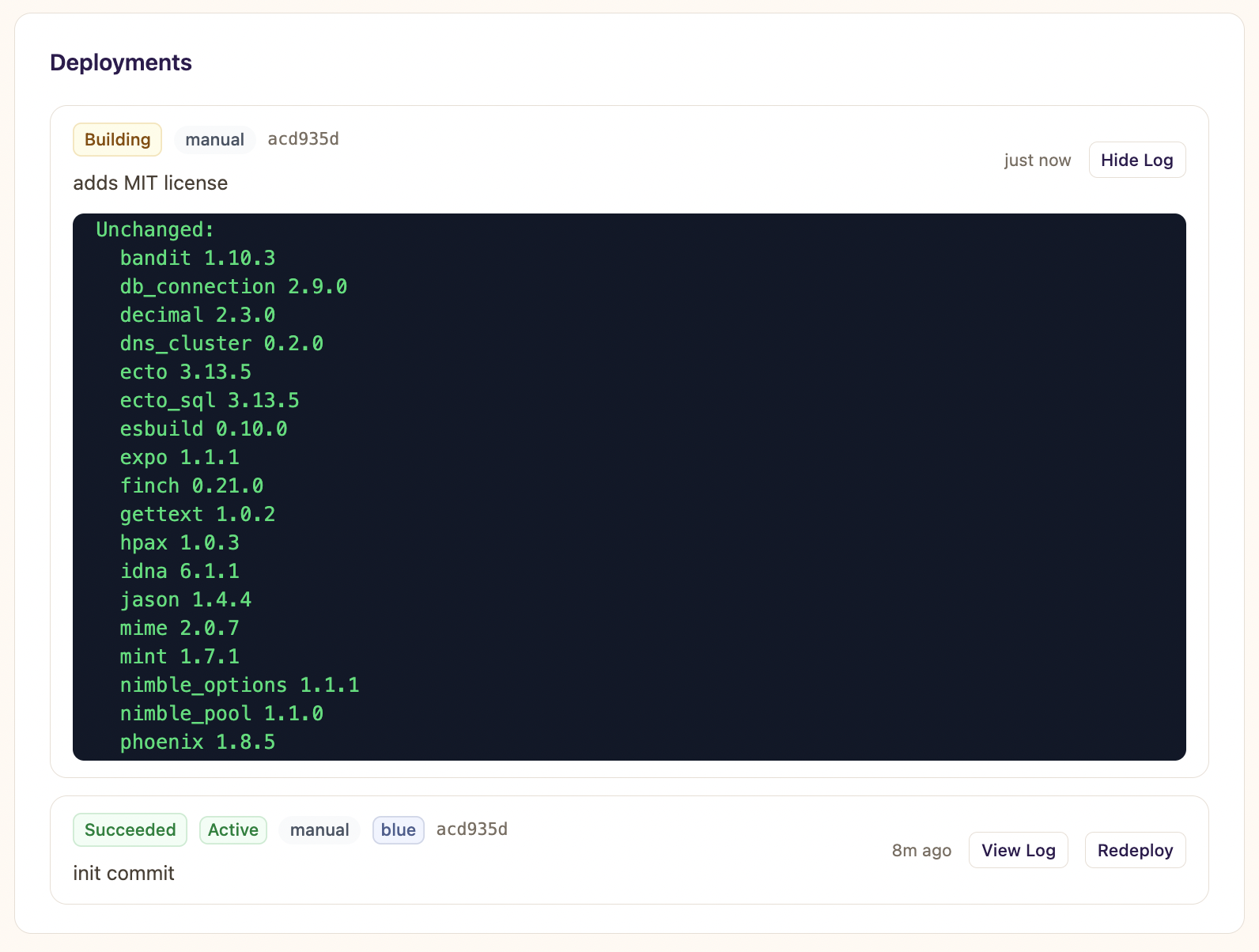
For completed deployments, full logs are persisted so you can review them after the fact.
Redeploying a Previous Commit
You can redeploy from a previous commit using the Redeploy button. This is useful when:
- An environment variable change needs a rebuild to take effect
- A transient build failure (network timeout, GitHub rate limit) caused a previous deploy to fail
- You want to rebuild after changing Elixir or Erlang versions
Rolling Back
If something goes wrong with your latest deploy, you can roll back to the previous release using the Rollback button - no full rebuild needed.
Rolling back flips traffic from the current slot back to the previous one. Because both blue and green slots keep their release binaries on disk, the rollback takes effect in seconds rather than minutes. See Zero-Downtime Deployments for details on how blue-green slots work.
Things to Know
- You can't deploy until the database is provisioned. When you first create an app, Potions sets up a PostgreSQL database in the background. The Deploy button stays disabled until this completes (typically a few seconds).
- Builds time out after 15 minutes. If a build hasn't finished within 15 minutes, Potions marks it as failed. This usually indicates a compilation issue or a dependency that's hanging.