Auto-Generated Variables
When you create an app, Potions auto-generates environment variables so your Phoenix app can boot, connect to its database, and write persistent files without any manual configuration. These variables are marked with an auto badge to distinguish them from variables you add yourself.
The Variables
| Variable | Default Value | Purpose |
|---|---|---|
SECRET_KEY_BASE |
Random 64-byte base64 string | Phoenix uses this to sign and encrypt sessions, cookies, and tokens |
DATABASE_URL |
ecto://<user>:<pass>@localhost:5432/<db>, or the external connection URL you pasted |
PostgreSQL connection string for your app's dedicated database, or for the external database you connected. Encryption is set in your app's config; see Encrypting the connection. Not set for SQLite apps |
DATABASE_PATH |
/opt/potions/<app>/db/<app>.sqlite3 |
The SQLite database file, for apps created with SQLite on this server; what mix phx.new --database sqlite3 reads. Replaces DATABASE_URL. See SQLite and Litestream |
PHX_HOST |
Your server's IP address | The hostname Phoenix uses for URL generation, websocket endpoints, and email links |
PHX_SERVER |
true |
Tells Phoenix to start the HTTP server when the release boots |
PORT |
App's assigned port (e.g., 4000) |
The port your app listens on. Caddy reverse-proxies traffic from ports 80/443 to this port |
MIX_ENV |
prod |
The Mix environment used during build and at runtime |
STORAGE_DIR |
/opt/potions/<app>/storage |
A persistent directory for user uploads and other files that must survive deploys. See Persistent Storage |
Apps on an external database whose host is reachable only over IPv6 also get ECTO_IPV6=true, set from the connection check.
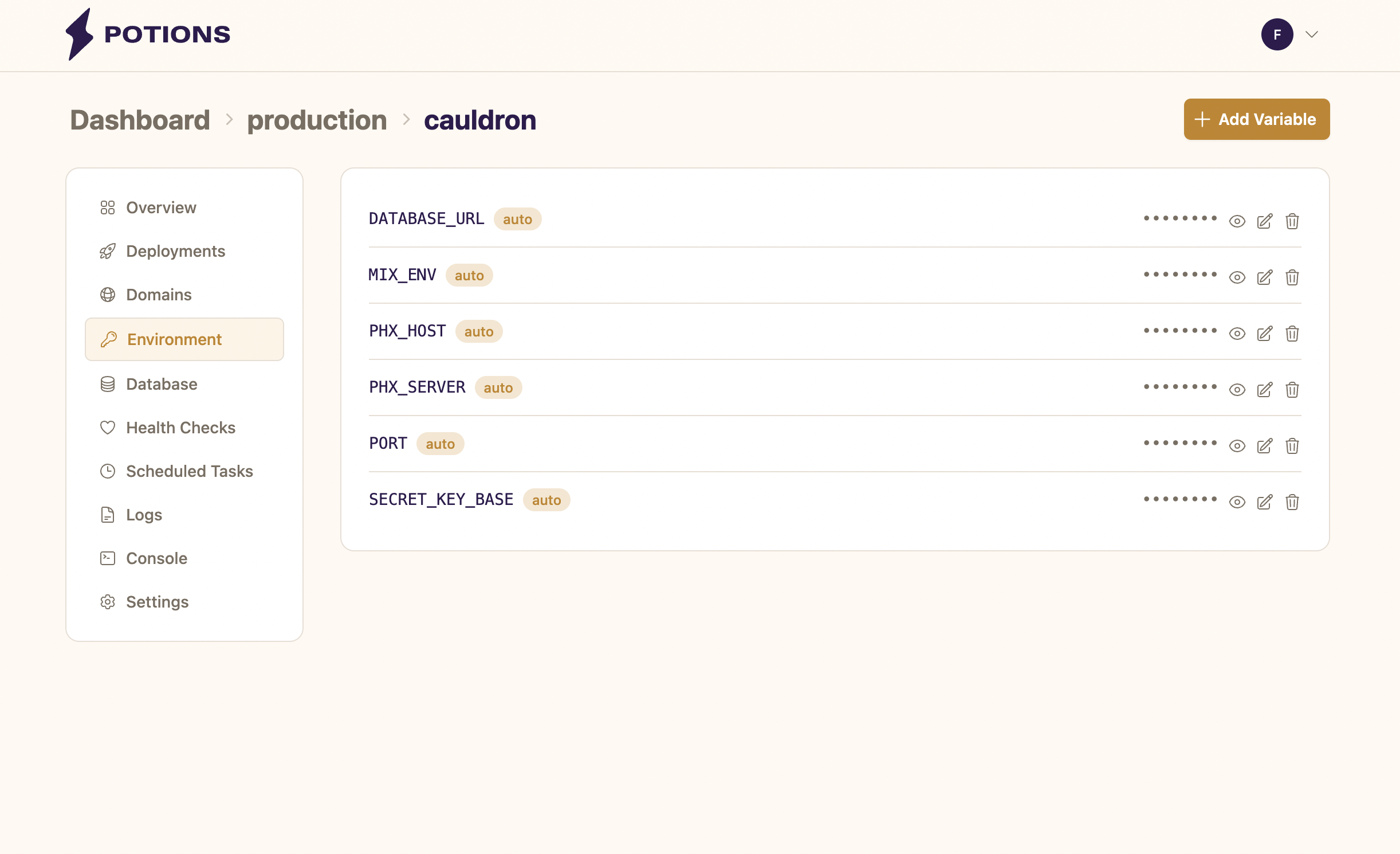
Editing and Deleting Auto-Generated Variables
Most auto-generated variables are fully editable. You can change the value of any variable from the Environment tab, or delete it if your app doesn't need it.
PORT, STORAGE_DIR and DATABASE_PATH are exceptions - they're system-managed by Potions and appear with a lock icon instead of edit/delete buttons. The values are set automatically and can't be overridden. For apps on an external database, DATABASE_URL is locked too and managed on the Database tab.
Changes to environment variables take effect on the next deploy. They don't affect your currently running instance.
Variables Injected at Deploy Time
Potions also injects the following variable on every deploy. This is not stored with your app's variables and does not appear on the Environment tab.
| Variable | Value |
|---|---|
POTIONS_COMMIT_SHA |
The full commit SHA of the deploy currently running |
Point your error tracker at it to see which deploy an error came from. See Deploy Metadata for setup with AppSignal, Sentry, and others.
Things to Know
-
PHX_HOSTupdates automatically with domains. When you add your first custom domain, Potions updatesPHX_HOSTto match. If you delete the primary domain, Potions revertsPHX_HOSTto the server IP. You can also change it manually at any time. See Adding a Custom Domain for details. - All values are encrypted at rest. Potions uses AES-256-GCM encryption for every variable, not only auto-generated ones.
-
Deleting
DATABASE_URLwon't delete your database. The PostgreSQL database and user continue to exist on the server. The variable is only the connection string. For external databases, change it on the Database tab; see External Databases. - Your variables are excluded from build logs. Potions redacts sensitive values from build output so credentials never appear in deployment logs.